
Free up space on your iPhone
Duplicates, large videos, compression. Clear Cleaner finds what actually fills your phone — you decide what goes.

Scan with your iPhone
Point the Camera at the code to open Clear Cleaner on the App Store.
4.7 on the App Store · iOS 15.0+ · free to try
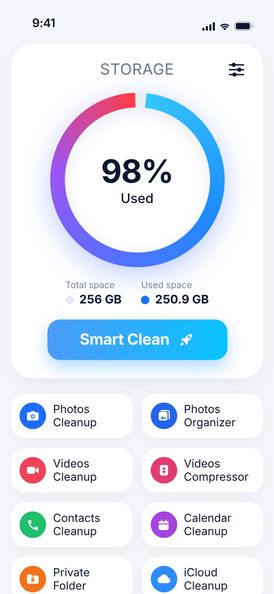


What actually takes up space
Photos and videos — not cache. iOS clears app caches by itself when space runs low, so “cache cleaners” can’t free much. A few long videos usually outweigh thousands of photos.
Why clearing cache rarely helps →- ≈ 400 MBone minute of 4K 60 fps videoper the iPhone’s own camera settings
- ≈ 2 MBone 12 MP photo in HEICretakes and duplicates add up fast
- Smallapp cacheiOS purges it automatically when space is low
≈ 200 photos weigh about as much as one minute of 4K video.
Four ways to get space back


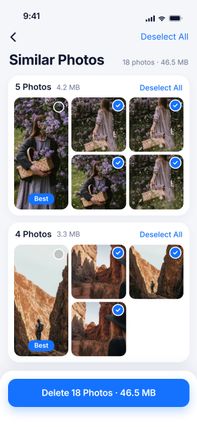
Duplicate & similar photos
Groups near-identical shots, marks the best one, deletes the rest after you confirm.
Learn more →


Videos cleanup
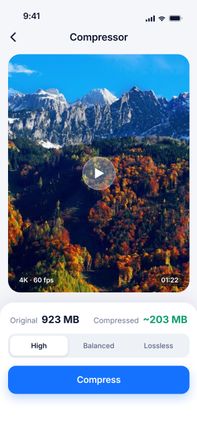
See how much each video weighs, spot similar clips, pick what to delete or compress.
Learn more → 4K · 60 fps
Video compressor
Three quality levels, the new size shown up front, original date and albums kept.
Learn more →

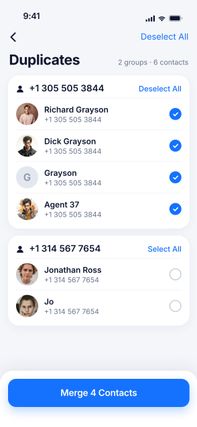
Contacts cleanup
Same name, number or email — merged into one card. Plus empty and incomplete contacts.
Learn more →A look inside
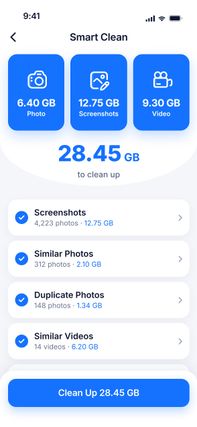
Free tools for photos and video
One file at a time, right on this site. Files are processed on your device and never uploaded.
Your photos stay yours
On the App Store
Rated 4.7 out of 5 by 29 people so far (US App Store, checked 2026-10-20).
“Data Not Collected”
The App Store privacy label for the app reads: “The developer does not collect any data from this app.”
Scans on the iPhone
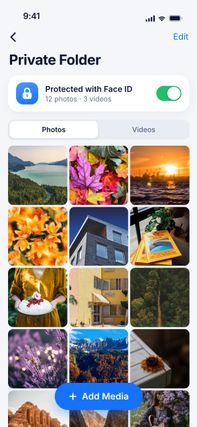
Photos, videos and contacts are analyzed on the device. Nothing is deleted until you confirm in the iOS dialog.
Made by Cheese Quake, an independent app studio. cheese-quake.com · About us
Questions
Can you clear cache on an iPhone?
Does Clear Cleaner delete photos without asking?
How much does Clear Cleaner cost?
How do I cancel the subscription?
Are my photos uploaded anywhere?
Will it speed up my iPhone?

Do it for the whole library
Clear Cleaner finds duplicates, similar shots and heavy videos across your iPhone and compresses the videos you keep. Nothing is deleted until you confirm.