
Video compressor
Compress Videos on iPhone and Keep Them
Not every video should be deleted. Compressing the keepers often frees as much space as a cleanup — without losing a single memory.
Get it on the App Store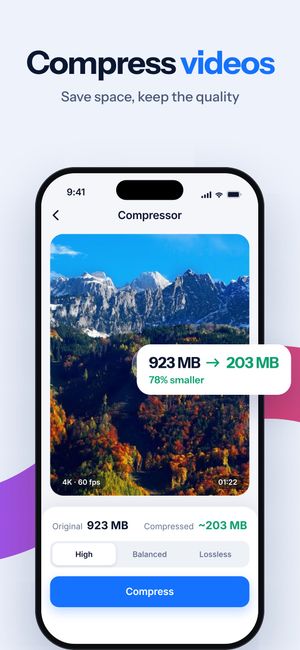
What it does
- Three levels: High (smallest file), Balanced and Lossless (gentlest compression). The app shows the estimated size before you start.
- Batch compression — select several videos and compress them in one go.
- The compressed copy keeps the original date, location, favorite mark and albums, so it stays in the right place in your timeline.
- Runs on the iPhone. Videos aren’t uploaded anywhere.
How it works
- Open Videos Compressor and pick one or more videos.
- Choose High, Balanced or Lossless and check the estimated size.
- Tap Compress. The copy is saved next to the original; delete the original yourself once you’re happy with the result.
Questions
Will compressed videos look worse?
At Lossless and Balanced the difference is hard to see on a phone screen. High is for clips where size matters more than detail.
Is the original deleted automatically?
No. The compressed copy is saved next to the original, and you delete the original when you’re happy with the result.

Do it for the whole library
Clear Cleaner finds duplicates, similar shots and heavy videos across your iPhone and compresses the videos you keep. Nothing is deleted until you confirm.
More in Clear Cleaner
Duplicate & similar photosGroups near-identical shots, marks the best one, deletes the rest after you confirm.Videos cleanupSee how much each video weighs, spot similar clips, pick what to delete or compress.Contacts cleanupSame name, number or email — merged into one card. Plus empty and incomplete contacts.Smart CleanOne scan across photos, screenshots and videos with the total you could free.Private FolderPersonal photos and videos behind Face ID or a passcode.