
Smart Clean
Smart Clean — Everything Removable in One Scan
When you don’t want to go category by category, Smart Clean collects everything worth reviewing into one list with a total.
Get it on the App Store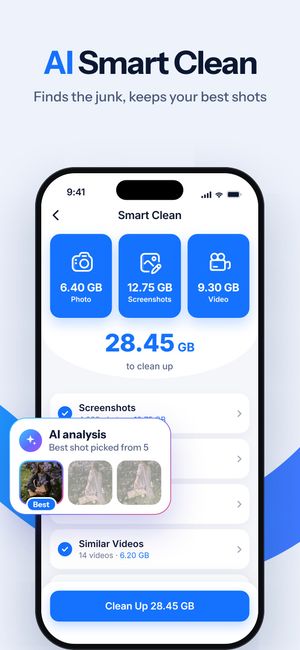
What it does
- Screenshots, similar photos, duplicates, similar Live Photos and similar videos in one list.
- The space each category takes, and the total.
- The best shot in every group is kept by default — you can change any pick.
How it works
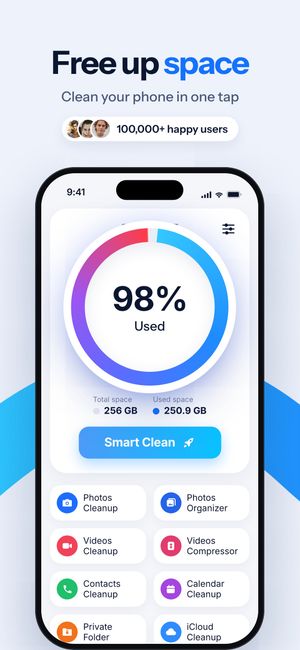
- Tap Smart Clean on the home screen.
- Open any category to review it, or uncheck it entirely.
- Tap Clean Up and confirm in the iOS dialog.
Questions
Does Smart Clean delete everything it finds?
Only what stays selected after your review, and only after the iOS confirmation dialog.
Does it clear cache or “junk files”?
No. iOS doesn’t let apps clear other apps’ cache, and the system manages its own. Smart Clean works with your photos and videos — that’s where the space is.

Do it for the whole library
Clear Cleaner finds duplicates, similar shots and heavy videos across your iPhone and compresses the videos you keep. Nothing is deleted until you confirm.
More in Clear Cleaner
Duplicate & similar photosGroups near-identical shots, marks the best one, deletes the rest after you confirm.Videos cleanupSee how much each video weighs, spot similar clips, pick what to delete or compress.Video compressorThree quality levels, the new size shown up front, original date and albums kept.Contacts cleanupSame name, number or email — merged into one card. Plus empty and incomplete contacts.Private FolderPersonal photos and videos behind Face ID or a passcode.